What Is Website Development? A Complete Beginner's Guide
Every website you have ever visited, from a five-page portfolio to a massive store like Amazon, started out as an idea that someone had to build, piece by piece. That process of turning an idea into a working, clickable website is what we call website development. If you have ever wondered what actually happens behind the scenes when a website goes live, or you are thinking about learning to build websites yourself, this guide will walk you through everything a complete beginner needs to know.

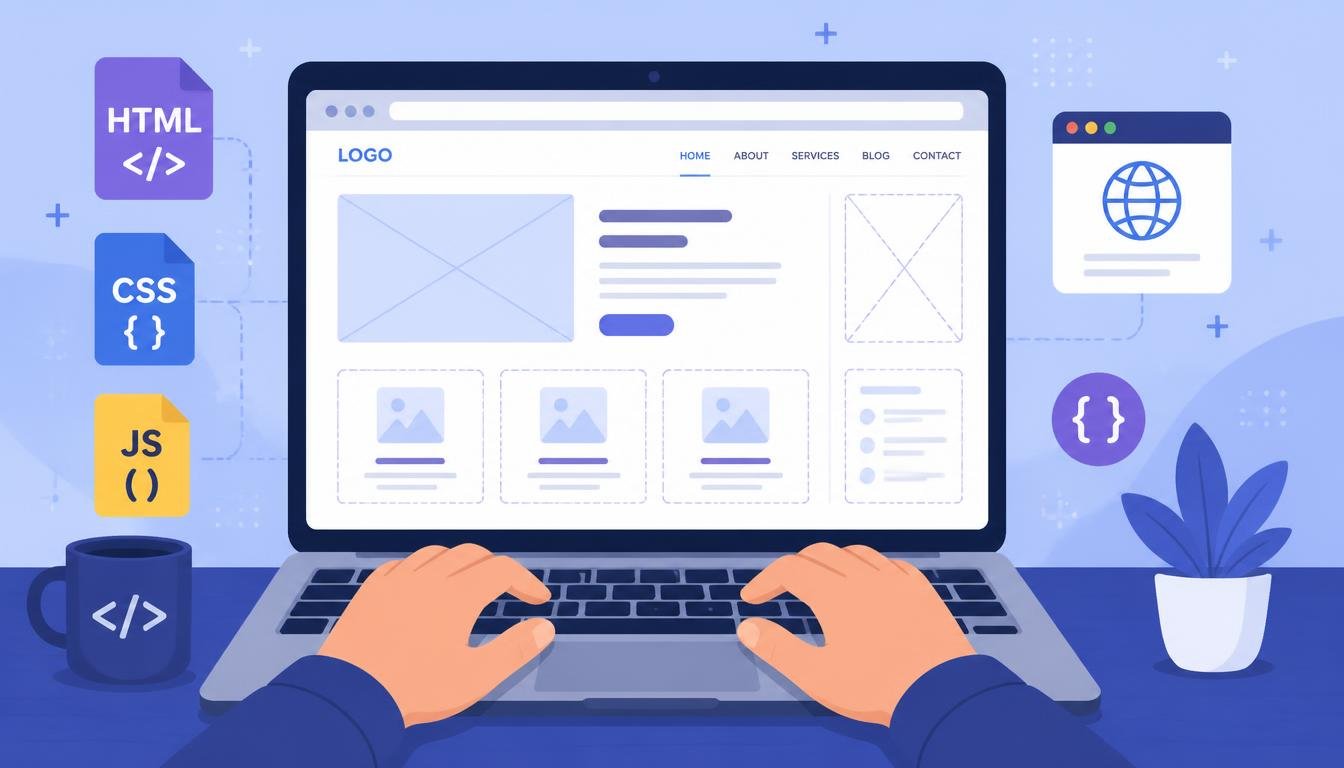
Suggested image prompt: A flat-style illustration of a laptop screen showing a half-built website wireframe, with a developer's hands typing on the keyboard, surrounded by small icons for HTML, CSS, JavaScript, and a browser window. Clean modern tech-blog cover art, blue and purple color palette.
What Is Website Development?
Website development is the work involved in building and maintaining a website so that it runs smoothly on the internet. This covers everything from writing the code that displays text and images in your browser, to setting up the servers and databases that store information behind the scenes, to making sure the site actually works the way it is supposed to once it is live.
People often confuse web development with web design, but they are not the same thing. Web design is about how a site looks and feels: colours, layout, fonts, and the overall user experience. Web development is about making that design actually function, turning static mockups into a living, interactive product that a browser can render and a user can click through.
The Three Main Types of Web Development
1. Front-End Development
Front-end development, sometimes called client-side development, is everything a visitor sees and interacts with directly: the layout, the buttons, the menus, the animations. It is built primarily with three core technologies: HTML for structure, CSS for styling, and JavaScript for interactivity. A good front-end developer thinks constantly about how real people will use the page, not just how it looks on a designer's screen.
2. Back-End Development
Back-end development happens on the server, out of sight from the visitor. It handles the logic, databases, and security that make a website actually do things, like remembering a logged-in user, processing a payment, or saving a form submission. Common back-end languages include Python, PHP, Java, Node.js (JavaScript on the server), and Ruby, usually paired with a database such as MySQL, PostgreSQL, or MongoDB.
3. Full-Stack Development
A full-stack developer is comfortable working on both the front end and the back end. They can design what the user sees and also build the logic and database that power it. Many beginners aim to become full-stack developers eventually, because it gives them a complete picture of how a website comes together from start to finish.

Suggested image prompt: A simple side-by-side diagram: on the left, a browser window labelled 'Front-End' with HTML, CSS, and JS icons; on the right, a server/database icon labelled 'Back-End' with a database cylinder icon. An arrow connecting the two labelled 'Full-Stack'. Minimal, clean infographic style, flat icons.
Tools and Languages Every Beginner Encounters
You do not need to learn everything at once, but it helps to know what the common building blocks are before you start:
- HTML: The skeleton of every webpage. It defines structure: headings, paragraphs, images, links.
- CSS: Controls how HTML looks: colours, spacing, fonts, and responsive layouts for different screen sizes.
- JavaScript: Adds interactivity, from dropdown menus to real-time updates without reloading the page.
- Frameworks & Libraries: Tools like React, Vue, or Angular speed up front-end work; Django, Laravel, or Express speed up the back end.
- Databases: Store and organise data, such as user accounts, blog posts, or product listings.
- Version Control (Git): Tracks changes to code over time and lets developers collaborate without overwriting each other's work.
The Website Development Process, Step by Step
- 1. Planning: Defining the website's purpose, target audience, and the pages or features it needs.
- 2. Design / Wireframing: Sketching out the layout and user flow before any code is written, often in tools like Figma.
- 3. Development: Writing the actual front-end and back-end code that brings the design to life.
- 4. Testing: Checking the site across browsers and devices, fixing bugs, and making sure links, forms, and buttons work.
- 5. Deployment: Publishing the website to a live server so the public can access it via a domain name.
- 6. Maintenance: Ongoing updates, security patches, performance improvements, and content changes after launch.

Suggested image prompt: A horizontal timeline infographic showing six connected circles labelled Planning, Design, Development, Testing, Deployment, Maintenance, each with a small matching icon (clipboard, pencil, code brackets, magnifying glass, rocket, gear). Clean flat vector style, blue and teal palette.
Common Types of Websites
As you explore website development, you will come across a few common categories of sites, each with slightly different requirements:
- Static websites: Fixed content that looks the same for every visitor, ideal for simple portfolios or brochure sites.
- Dynamic websites: Content changes based on user interaction or data, such as a social media feed or dashboard.
- E-commerce websites: Built for buying and selling online, with product pages, carts, and payment processing.
- CMS-based websites: Built on platforms like WordPress, allowing non-developers to update content easily.
Skills That Matter Beyond Code
Writing code is only part of the job. Beginners often underestimate how much problem-solving, patience, and attention to detail the work actually requires. Reading error messages carefully, breaking a big problem into smaller pieces, and testing your assumptions instead of guessing are skills that separate developers who get stuck from those who keep moving forward. Basic design sense and an understanding of how real users behave also go a long way, even if you plan to specialise in the back end.
How to Start Learning Website Development
If you are completely new to this, here is a practical order to follow rather than trying to learn everything simultaneously:
- Start with HTML and CSS to understand how web pages are structured and styled.
- Learn basic JavaScript to make pages interactive.
- Build a few small static projects, such as a personal portfolio page.
- Pick one back-end language and learn how servers and databases work together.
- Learn Git so you can track your code and showcase projects on GitHub.
- Build a small full-stack project that combines everything you have learned.
Free resources like MDN Web Docs, freeCodeCamp, and The Odin Project are widely used starting points, and building real, even tiny, projects matters far more than passively watching tutorials.
Mistakes Beginners Commonly Make
- Jumping between too many languages or frameworks before understanding the fundamentals.
- Watching tutorials endlessly without building anything from scratch.
- Skipping the basics of how browsers and servers actually communicate.
- Avoiding Git and version control until it becomes a problem.
- Comparing their beginner projects to the polished work of experienced developers.
Final Thoughts
Website development can feel overwhelming from the outside, with its long list of languages, tools, and frameworks. But at its core, it is simply the process of turning an idea into something people can open in a browser and use. Start small, focus on the fundamentals of HTML, CSS, and JavaScript first, build real projects as you go, and the rest of the ecosystem will start to make a lot more sense over time.

Suggested image prompt: A motivational closing illustration: a small potted plant growing next to an open laptop displaying colourful code, sunrise in the background through a window, symbolising a beginner's growth journey in web development. Warm, encouraging flat illustration style.
Need help with a project like this?
Tell us your requirement — we reply with a scope, timeline and quote within 24 hours.
Get a Free Quote →